.jpeg)
Artificial intelligence has changed the way we search for information, write content, solve coding problems, and do everyday tasks. AI assistants can answer questions quickly, write content, summarize lengthy documents, and program instead of manually searching multiple sources.
AI tools are useful for students, professionals, developers, and businesses because they can save time and make many tasks easier.
In this article, we will cover the history of installing Google Gemini, using its features, writing effective prompts, and why millions of users use it every day.
What is Google Gemini?
Gemini is Google’s AI assistant that helps users with different tasks using simple or natural language. Users can ask Gemini questions in plain English and get quick, clear, and detailed answers.
Gemini is powered by Google's large language models (LLMs), which help it understand questions, follow conversations, generate content, solve problems, and assist with programming.
History of Google Gemini
Google has been developing artificial intelligence for many years. The company created a number of successful artificial intelligence (AI) technologies, including Google Assistant, TensorFlow, and the Transformer architecture that supports modern large language models.
Google released Bard in 2023, an AI chatbot that competed with the new conversational AI chatbots. Bard allowed users to talk to Google’s AI and get the complete answers.
Google wanted to build a more capable AI model that could understand text, images, audio, video, and code in a unified way. Google introduced Gemini, an AI model that can understand different types of content.
In early 2024, Bard was officially rebranded as Google Gemini. After the rebranding, Google introduced better AI capabilities for reasoning, coding, creativity, language understanding, and working with other Google services.
Nowadays, Gemini continues to evolve rapidly, and it is available on Android devices, web browsers, and Google Workspace applications.
Evolution of Google Gemini Models
Google Gemini has evolved through several generations, with each new version bringing better performance, reasoning, coding, and support for different types of content. Google has also introduced different models for speed, everyday tasks, and complex problem-solving.
Gemini Nano
Gemini Nano is a lightweight Gemini model designed for mobile devices. It can perform AI tasks on mobile devices; therefore, it can be useful for features that need quick responses and do not always need to be processed in the cloud.
Gemini Pro
Gemini Pro models are designed for more advanced tasks such as coding, complex questions, research, and problem-solving. The newer Pro models have improved reasoning abilities, and they can work with different types of information, including text, images, files, and videos.
Gemini Flash
Gemini Flash models are designed to provide a good balance between speed and intelligence. They are useful for everyday tasks such as answering questions, summarizing information, brainstorming ideas, and solving a wide range of problems.
Gemini Flash-Lite
Gemini Flash-Lite is designed for tasks where speed and efficiency are important. This is useful when performing tasks such as summarization, brainstorming, and other AI tasks that do not require the highest level of reasoning.
Gemini 2.5
Gemini 2.5 has improved reasoning abilities. It was designed to handle more complex problems. The Gemini 2.5 Pro was great at coding, reasoning, long-context understanding, and complex problem-solving. Google also launched Gemini 2.5 Flash and Flash-Lite for different performance and speed requirements.
Gemini 3
Gemini 3 is the next version of Google’s Gemini models. Gemini Apps currently shows Gemini 3 Flash-Lite, Gemini 3 Flash, and Gemini 3 Pro. Flash-Lite is all about efficiency. Flash provides a balance between speed and reasoning, while Pro is designed for more complex tasks such as advanced mathematics, coding, and reasoning.
Google AI Pro and Google AI Ultra
Google AI Pro and Google AI Ultra are subscription plans, not separate Gemini models. These plans offer higher usage limits and additional AI features and tools.
Google AI Pro offers greater access to Gemini and other Google AI features. It is suitable for users who need more AI capabilities than those available with the basic plan.
Google AI Ultra is the higher-tier plan. It provides the highest level of access to Google's most advanced AI features, tools, and services.
How to Install Google Gemini on Android
We can easily install the Google Gemini app on an Android phone. We can install it from the Google Play Store by following these simple steps.
Step 1: Open the Google Play Store
First, we open the Google Play Store on our Android phone.
Step 2: Search for Google Gemini
Next, we tap the search bar, type Google Gemini, and then select the official Gemini app.
Step 3: Install the App
We tap the Install button and wait for the app to download and install on our phone.
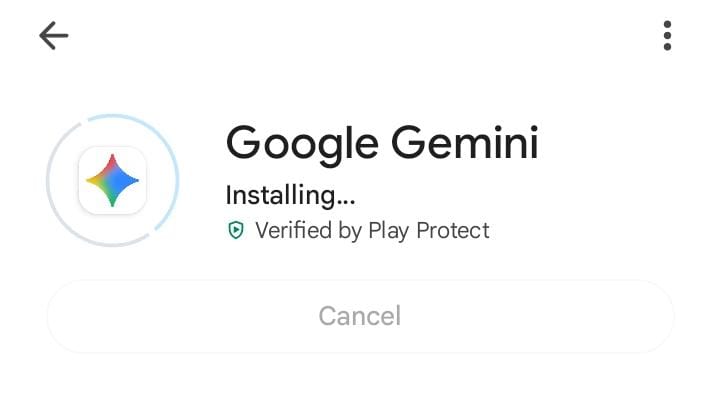
Step 4: Open Google Gemini
After the installation is complete, we tap Open to launch the Gemini app.
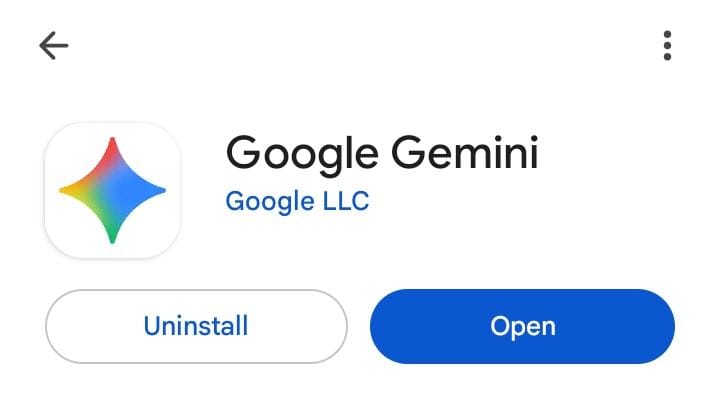
Step 5: Sign in to Your Google Account
We sign in using our Google account and follow the instructions shown on the screen.
Step 6: Allow Permissions
If Gemini asks for permissions, review them and allow the required permissions to use the app properly.
Step 7: Start Using Gemini
After completing the setup, we can start chatting with Gemini.

How to Install Google Gemini on iPhone
If we are an iPhone user, installing the Google Gemini. Google provides a dedicated Gemini app for iOS in supported regions. If the app is not available in our country, we can still access Gemini through our web browser.
Step 1: Open the App Store
First, we open the App Store on our iPhone.
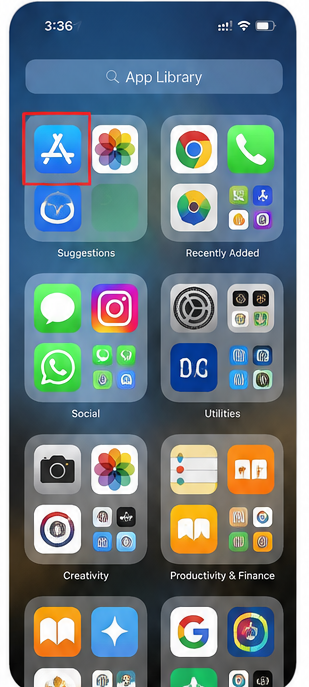
Step 2: Search for Google Gemini
Next, we tap the Google Gemini in the search bar.
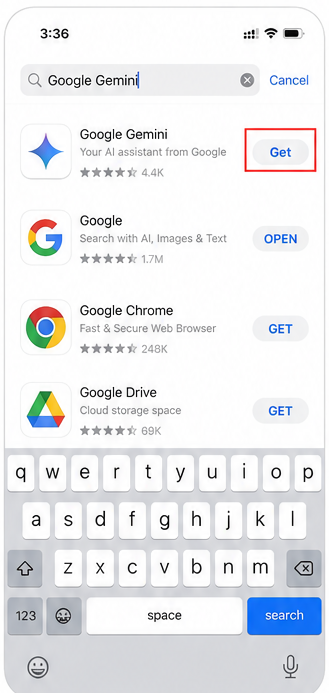
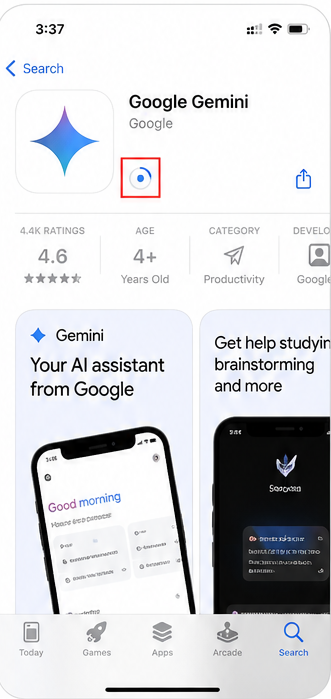
Step 3: Install the App
We tap the Install button and wait for the installation to complete.
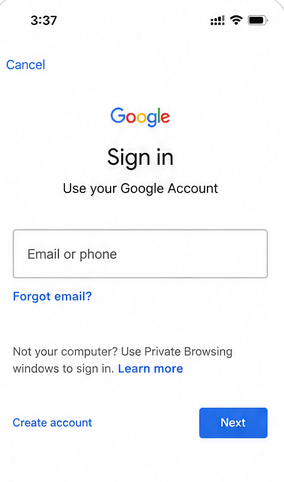
Step 4: Sign In
Open the app and sign in using the Google account.
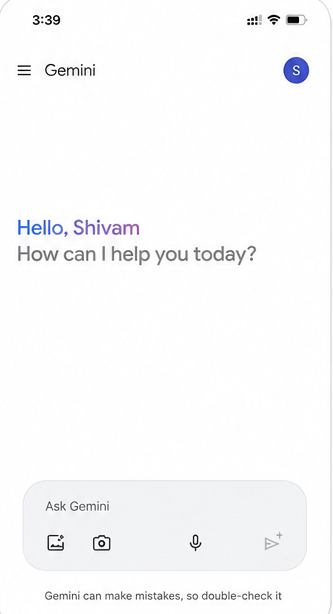
Step 5: Start Using Gemini
After completing the setup, we can start chatting with Gemini.
How to Use Google Gemini on the Web
If we do not want to install the app, we can use Gemini directly in our web browser.
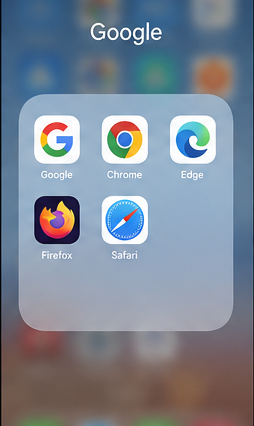
Step 1: Open a Browser
First, we open any browser such as Chrome, Edge, Firefox, or Safari.
Step 2: Visit Google Gemini
Next, we go to the official Google Gemini website.
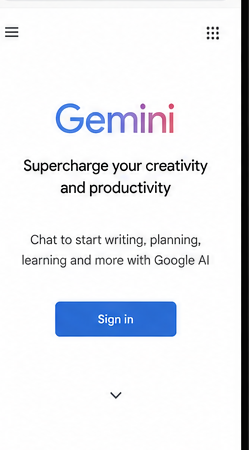
Step 3: Sign In
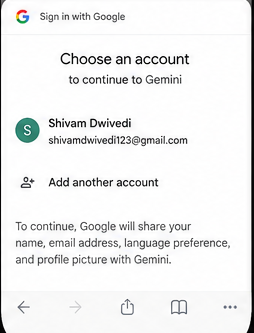
Once the website opens, we sign in using our Google account.
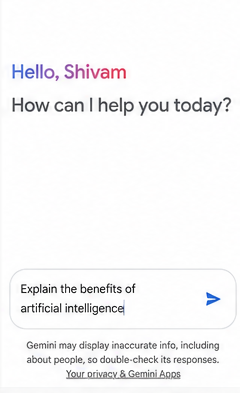
Step 4: Enter Your Prompt
Now, we type our question or prompt into the chat box.
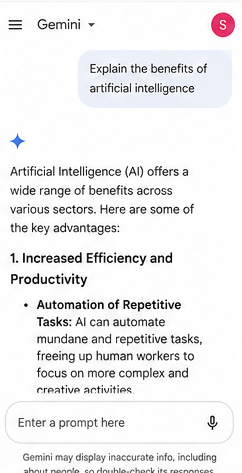
Step 5: Get the Response
Finally, we press the enter button and wait for Gemini to generate the answer.
Understanding the Gemini Interface
Gemini's interface is simple and easy to use. It has several useful options to help us interact with the AI.
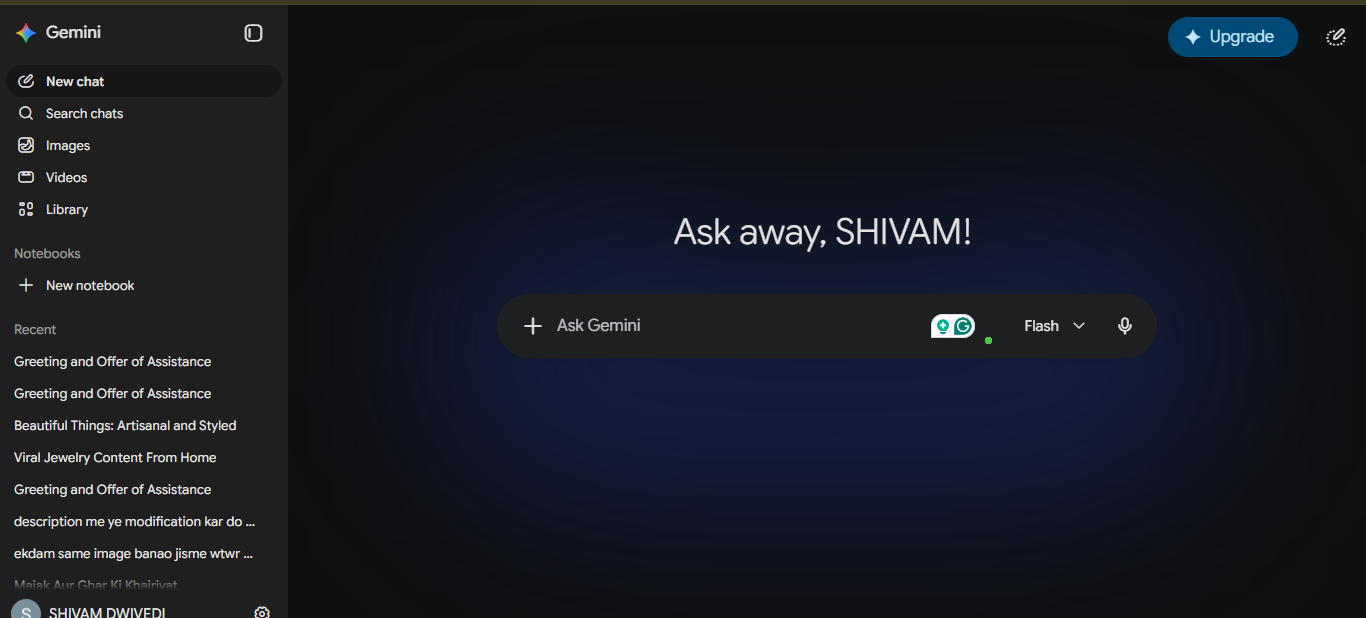
- Prompt Box: It is used to enter your questions or instructions.
- New Chat: It is used to start a new conversation.
- Chat History: The chat history is used to view and continue the previous chats.
- File Upload: It is used to upload PDFs, documents, spreadsheets, or images for analysis.
- Settings: It manages your preferences, appearance, and account settings.
Writing Effective Prompts
The quality of Gemini’s answer depends on how clearly we write our prompt. When we use clear and specific instructions, Gemini can better understand what we need and provide a more useful response.
Example of a Weak Prompt
Write about Python.
Example of a Better Prompt
Write a beginner-friendly article explaining Python programming, including its history, features, advantages, applications, and simple code examples.
Google Workspace Integration
One of the useful features of Gemini is that it is integrated with Google Workspace. It can assist users with various Google services and helps us to make the tasks easier and more efficient. Gemini can help with:
- Google Docs: It can help us to create, edit, and improve documents.
- Gmail: It can help us to write, summarize, and manage emails.
- Google Sheets: It can help us to work with data, formulas, and spreadsheets.
- Google Slides: It can help us to create and improve presentations.
- Google Drive: It can help us to find and work with stored files.
Key Features of Google Gemini
Google Gemini offers several useful features that can help with everyday tasks, learning, writing, and programming.
1. AI Chat
It allows us to ask questions in natural language and receive the answers. For example, we can ask, “Explain object-oriented programming in simple words.”
2. Content Writing
It can help us to create blog posts, emails, product descriptions, social media captions, reports, and documentation. It is useful for students, writers, and marketers.
3. Programming Assistance
Developers can use Gemini to write and explain code, fix errors, optimize programs, and convert code between different programming languages such as Python, Java, C#, JavaScript, PHP, Go, and SQL.
4. Image Understanding
We can upload images and ask Gemini to describe them, extract text, explain diagrams, analyze screenshots, or help to solve problems shown in an image.
5. Document Analysis
The Gemini can analyze files such as PDFs, research papers, business reports, Word documents, and study materials. It can summarize long documents and explain important information.
6. Translation
Gemini can also translate content to other languages, while preserving the meaning and context of the original.
7. Brainstorming
It can also help us to generate ideas for startups, business names, YouTube videos, blogs, marketing campaigns, and products.
Practical Uses of Google Gemini
Google Gemini can be used for many personal, educational, and professional tasks. It can help users create content, write and understand code, summarize documents, analyze images, write emails, and learn new skills.
1. Content Writing
Gemini can help users to create different types of content, such as blog posts, product descriptions, emails, reports, press releases, and technical documentation. It can also help improve existing content by making it clearer, more readable, or better structured.
Example Prompt:
Write a 1,500-word SEO-friendly article about cloud computing for beginners.
2. Programming Assistance
It is helpful for developers and programming students. The Gemini can write code, explain programming concepts, identify errors, and improve existing code, and help users to learn new programming languages.
Example Prompt:
Write a Python program to implement binary search with comments.
3. Document Summarization
Gemini can help users to write long documents. Users can upload a PDF and ask Gemini to summarize it, find important points, explain difficult topics, or create simple study notes. It is helpful for students, researchers, and professionals who regularly work with large documents.
4. Image Analysis
Gemini can understand and analyze images. Users can upload an image and ask questions about the information in it. For example, Gemini can explain a chart or diagram, extract text from an image, or describe objects shown in a picture.
5. Email Writing
Gemini can help users to write professional and well-structured emails. Instead of writing an email from scratch, users can provide the purpose and important details, and Gemini can create a suitable draft.
Example Prompt:
Write a professional email requesting a project deadline extension.
6. Learning New Skills
Gemini can act as a learning assistant. When someone is learning programming, mathematics, English, digital marketing, data science, or machine learning, It can explain topics in simple language.
Advanced Features of Google Gemini
As we become more familiar with Gemini, we can start using its advanced features for more specific and complex tasks. These features can help us with writing, programming, data analysis, and creative projects.
Long-Form Content Generation
Gemini can create detailed and well-organized content based on our instructions. We can use it to write reports, tutorials, technical documentation, articles, and other long-form content.
Code Explanation
It can help us to understand existing code by explaining how it works. We can paste our code into Gemini and ask it to explain the code step by step or line by line. This can be helpful when learning a new programming language or trying to understand unfamiliar code.
Error Debugging
When a program shows an error, we can copy the error message along with the related code and share it with Gemini. Gemini can analyze the code, identify the problem, and suggest the corrected code to fix it.
Data Analysis
Gemini can help us work with spreadsheets and datasets. We can upload files and ask Gemini to summarize the data, find patterns or trends, and answer questions about it.
Creative Writing
Gemini can be used for creative tasks. It can help users to create stories, write poems and scripts, create marketing content, suggest product names, and generate ideas for videos.
Privacy and Security in Gemini
Privacy and security are important when using any AI tool. Gemini provides settings and controls that allow users to manage their account and activity.
- It avoids sharing sensitive information such as passwords, banking details, or private documents.
- We should check Gemini’s privacy and activity settings regularly to keep our information safe.
- Users should check what information they are sharing before uploading files or images.
- We should avoid entering the confidential business or personal information unless it is necessary and appropriate.
- It is a good practice to review AI-generated responses before using them for important work.
- Users should secure their Google Account with a strong password.
Advantages of Google Gemini
There are several advantages of Google Gemini, which are as follows.
- It has a beginner-friendly interface that is easy to understand.
- Users can generate responses quickly.
- It provides useful assistance with coding and supports multiple programming languages.
- It can analyze images and supported documents.
- It works with Google Workspace services such as Docs, Gmail, Sheets, and Slides.
- It can maintain context during longer conversations.
- It is available on both web browsers and mobile devices.
- It supports multiple languages.
- It can help users brainstorm ideas for blogs, businesses, products, videos, and marketing campaigns.
- It can translate content between multiple languages while keeping the original meaning and context.
- It can help users to analyze spreadsheets and datasets to find useful information and trends.
- It can help users to create detailed reports, tutorials, articles, and technical documentation.
Limitations of Google Gemini
There are several limitations of Google Gemini, which are as follows.
- Gemini gave the wrong or incomplete answers sometimes.
- We should not depend on Gemini instead of professional medical, legal, or financial advice.
- Some features need a good internet connection.
- Some advanced features may only be available with a paid plan.
- We should check important information from trusted sources before using it.